Themes & banner photo
Thirteen themes, one tap, and your own photo on top
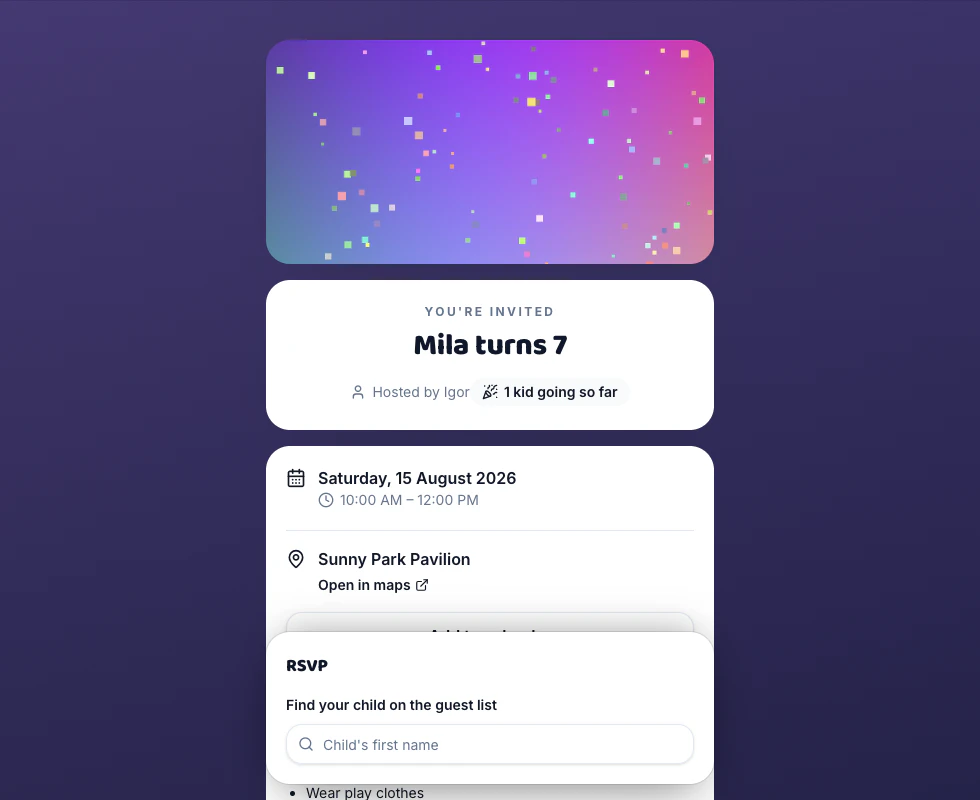
Your occasion picks a theme when you create the party — a kids' birthday starts on Confetti, a movie night on Twilight. Change it in the Appearance tab and the whole invitation page changes with it. Add a banner photo above the title, and that theme and photo become the card that unfurls when you paste the link into a group chat.
100% free · no app for guests
The occasion picks one, you can change it
Creating the party seeds a theme from the occasion you chose: Confetti for a kids' birthday, Balloons for a class party, Meadow for a park BBQ, Twilight for a movie night, Universal for “Any other get-together”. It's written on the way in and never re-applied — correcting the occasion in Details later leaves your theme alone. Appearance → Choose a theme is a grid of thirteen swatches; tapping one saves on the tap, and the mobile preview further down the tab re-dresses with your real title, date and venue in it.
Thirteen gradients, and what each is for
Confetti, Balloons, Meadow, Sunshine, Ocean, Candy, Dino, Space, Sunset, Aurora, Twilight, Bubblegum and Universal. Each sets the background behind the whole page, with an overlay over it that keeps text readable. Space and Twilight go dark, which suits an evening party; Bubblegum, Aurora and Sunshine are the soft ones; Dino, Candy and Confetti read loudest as a kids' party. Universal is the plain grey-lilac, for a party that shouldn't look like a birthday.
Your own photo above the title
Upload a JPEG, PNG or WebP and it sits in a wide band above the “You're invited” card — the birthday kid, the venue, the decorations. Your browser shrinks it to 1600 pixels wide before it uploads, so a full-size camera-roll photo doesn't stall on school wifi, and anything still over about 4.5MB is refused rather than half-sent. No photo of your own? Search free stock in the same panel — “Balloons”, “Dinosaur”, “Birthday cake” — and landscape results from Pexels and Pixabay come back interleaved. Replace or remove it any time.
The shared link draws its own card
Paste the link into iMessage, WhatsApp or the class thread and it unfurls as a 1200×630 card our server draws on the spot: your theme gradient behind — or your banner photo filling the whole card, if you added one — with “YOU'RE INVITED” over it, your title, the date and time in the party's own zone, the venue name, “Hosted by” your display name, and “Party RSVP” in the corner. Nothing about your guests is on it: no names, no headcount, no replies.
Good questions
Can I change the theme after I've sent the invitation?
Yes, and it mails nobody — a theme change sends no notification of any kind. Tap another swatch in Appearance and it saves on the tap; anyone opening the link from then on gets the new one, guests who already replied included. The one lag is the link preview. The card's own address carries the time of your last edit, so an app fetching it fresh draws the new card — but a chat app that already cached your preview may keep showing the old one until it looks again. If that matters to you, settle the theme before you paste the link anywhere.
Do I have to add a banner photo?
No. All thirteen themes are finished invitations on their own, and the banner is for when you have the picture. What adding one changes is two places: a wide band above the title on the page, and the link-preview card, where the photo takes the place of the theme gradient and the text sits over a heavier dark wash so it stays legible. If the photo can't be fetched at the moment that card is drawn, it falls back to your theme rather than to a generic card, so the preview still carries your party's details.
Will the emoji in my party title show up?
On the invitation page, yes — the title renders exactly as you typed it. On the link-preview card, no. That image is drawn with two fonts, Baloo 2 for the title and Nunito for the rest, and neither carries emoji glyphs, so “🎂 Mila turns 7” is drawn as “Mila turns 7”. The same card trims a long title at 58 characters and a long venue line at 64, with an ellipsis. Everything else goes on as written.
Does the theme carry through to the emails?
No — that's the one place it doesn't reach. Every Party RSVP email wears the same purple-to-orange band across the top whatever theme your party wears, and the texts are plain sentences with your link on the end. The theme dresses the invitation page and the card that unfurls from the link; the messages pointing people there are ours, not yours.
Make a party invitation in a few clicks
Guests reply in seconds — no accounts, no apps. Free, forever.