What stays private
Unlisted, not locked — and here's the difference
The address is sixteen random characters and the page tells search engines to skip it, so your party won't turn up in a search for your street or your child's name. There's no password though: anyone you send it to can open it, and can forward it. Here is exactly what a link-holder sees, and what never leaves your side of the app.
100% free · no app for guests
Sixteen random characters, and a noindex tag
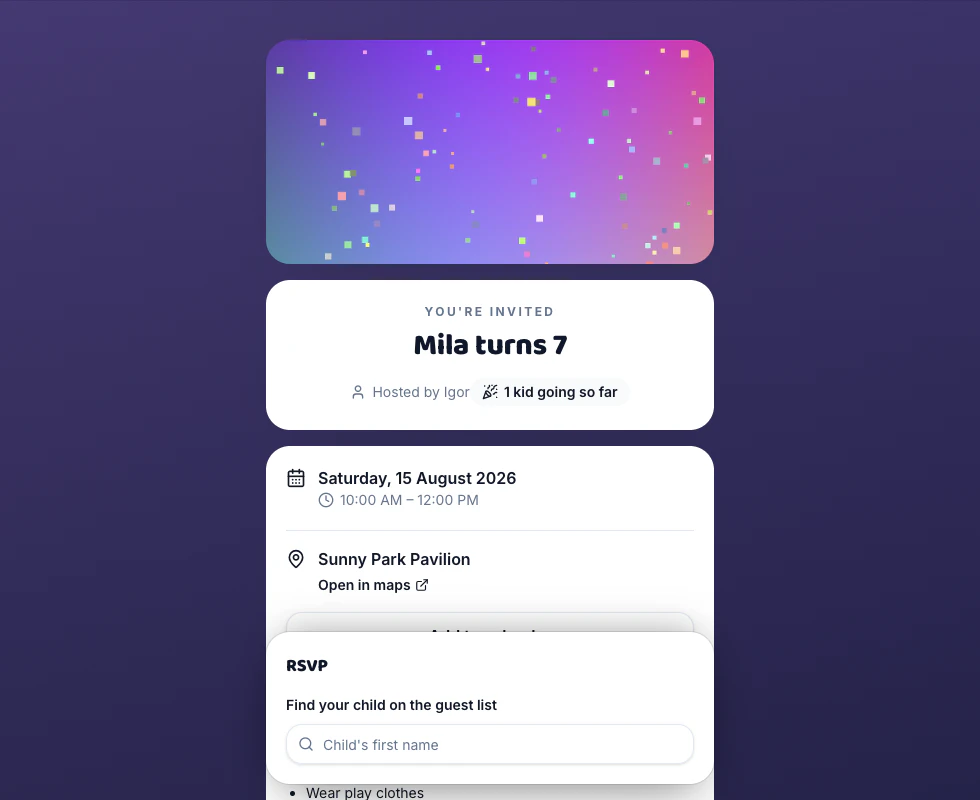
The address is /i/ followed by sixteen characters minted from random bytes when the party is created — not your name, not the date, nothing anyone could guess or count up to. The page sends robots: noindex and the whole /i/ path is disallowed in robots.txt, so it stays out of search results. What it is not is locked: there's no password and no “sign in to view”. Treat the link the way you'd treat your home address — fine for thirty families, worth a thought before a public page.
What a link-holder can actually see
Your party details, the who's-coming card if you left it on, the album, the bring list, and chat if you switched it on. That card is names and reply status only — Going, Waitlist, Awaiting reply, Can't make it, with a small +2 beside a family bringing siblings. Never on the page at any setting: anyone's email, anyone's mobile, your private notes, or the note a guest left you. The name search is the same story — it gives back the name, whether they've already replied, and a yes-or-no on whether you hold a contact for them. The address and the number never leave the server.
Contact details come to you and stop there
A first-time replier has to leave one way for you to reach them, and picks which: an email or a 10-digit US or Canadian mobile. It goes onto their row in your Guests tab and nowhere else. The functions behind the invitation page are written not to return those columns — the guest search hands back booleans, the who's-coming card selects names and statuses, and re-opening your own reply on your own device returns your name, your headcounts and your note, nothing about anyone else's family.
One unsubscribe stops both channels
Every email carries an Unsubscribe link, plus a List-Unsubscribe header your mail app can act on; every text ends “Reply STOP to opt out”. Either does the whole job — the page turns email off and texts off in the same move, and it covers everyone in the family sharing that address or that number. It's per party, so leaving the class party's list doesn't leave the next one's. Coming back is a tick box: tick the updates box the next time they RSVP, or reply START to a text.
Good questions
Someone forwarded my invitation to a person I didn't invite. What can they do?
Open it and read it, the same as anyone holding the link — that's the cost of an unlisted address. What they can't do is quietly change an answer. The first reply for a name can come from any device, but after that the server checks a token stored on the one that sent it, and a second device is told “A response has already been sent for this child from another device. Please contact the host to change it.” They can't add a name either, if you turned Open RSVP off in Details → RSVP options. If you want the link dead, Unpublish in the Share tab: it becomes “This invitation isn't available” for everyone at once, and the preview card drops back to a generic one. There's no way to mint a fresh address for the same party — the slug is set when the party is created and stays.
Do my guests have to make an account?
No, and there isn't one to make — the host account is the only account in the product. A parent opens the link, types two letters of a name, taps it and answers. Nothing is kept about them beyond what the form asks for: the name (which you probably typed), one contact for you, headcounts, and a note if they leave one. The one thing that stays on their phone is a random token in that browser's storage, and it does a single job — letting them come back and change their own answer without going through you. It isn't a login and it doesn't follow them anywhere else.
Can I stop guests seeing each other?
Mostly, and it's worth knowing where the line is. “Show the guest list” in Details → Guest extras starts on; turn it off and the who's-coming card disappears, so nobody can browse the roster. The running count of how many are coming is a separate switch that starts off. What stays either way is the name search, because that's how a parent finds their child: type a name you already suspect and it will confirm whether it's on the list. So the toggle hides the list from a browse, not from a guess. Contact details, your private notes and guests' notes to you are out of reach at every setting.
What does the link preview give away?
Only what you wrote. The card is drawn on our server from the party's own fields — title, date and time, the venue name or address, “Hosted by” your display name — over your theme or your banner photo. No guest names, no headcount, no replies, and nothing about who you sent it to. Before you publish, or for a link that matches no party, it renders a generic “You're invited! · Open the link to see the invitation” card instead, so a preview scraped early gives nothing away.
Make a party invitation in a few clicks
Guests reply in seconds — no accounts, no apps. Free, forever.