Guest list & name search
Paste the names once, and guests find their own
A guest list here is made of names. One per line, with an email or a mobile beside it only where you happen to have one. A parent opens the link, types two letters, taps their child and answers — no account, no password, nothing to install.
100% free · no app for guests
One name per line, contacts optional
The Guests tab takes a roster whole — “Have a whole list? Paste it instead”, up to 300 lines in one go. “Ava Brown, ava.mom@example.com, 916-555-0123” and “Noah Smith” are both complete rows: the email and the mobile are optional beside every name, in either order. A name already on the list is skipped rather than doubled, and named back to you — “Skipped duplicates: Ava Brown”. One at a time, “Add a guest” asks the same three things.
Guests find themselves, without an account
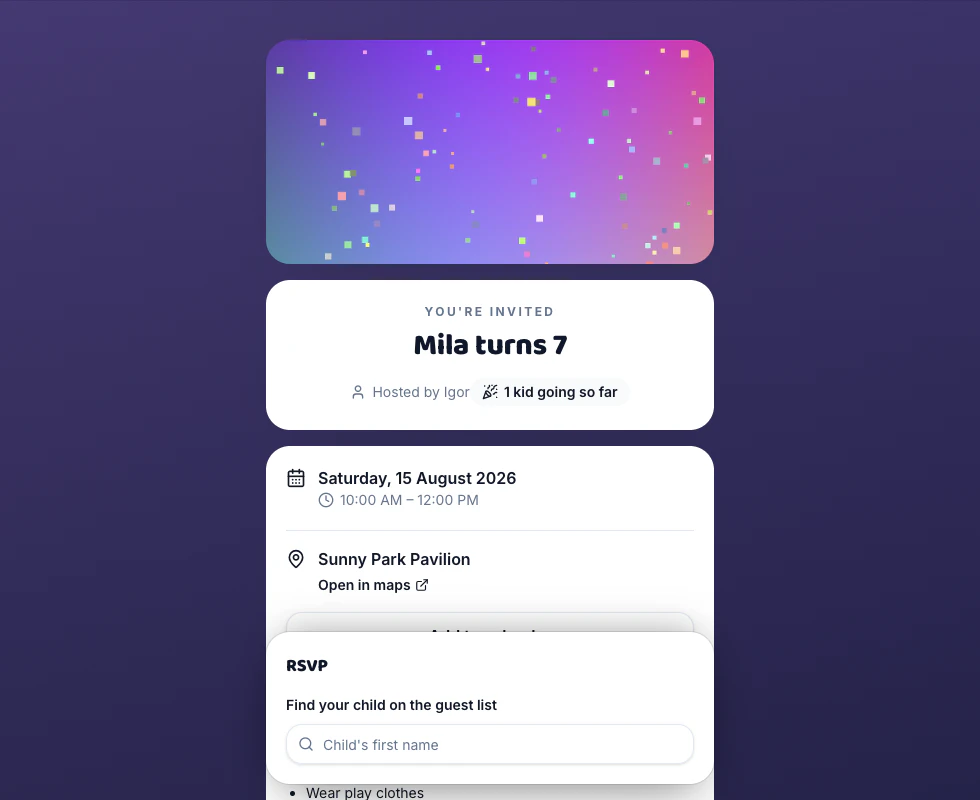
Two letters into “Child's first name” and the matching names appear, up to six at a time — the search reads any part of a name and ignores capitals, so “bro” finds Ava Brown. Tap one and the reply form opens underneath; anyone who already answered carries a quiet “replied”. No sign-up, no password, no app. Finding the name is the whole of the login.
Two children called Ava, told apart privately
Open a row in the Guests tab and there's a private note field — “Ava M — swim club”. It stays hidden until a search turns up two names spelled the same way; then it shows in grey beside each of them, so the right parent taps the right child. It appears nowhere else: not on the who's-coming list, not in any email, and not when only one Ava comes up.
A roster that's out of date still works
Open RSVP starts on — Details → RSVP options — so the child who joined in October can tap “Add “Noah” to the guest list” and reply in the same breath. Typing a name that's already there doesn't make a second Noah: the answer comes back “That name is already on the list — find it in the search instead.”, with a one-tap link into that search, and capitals or stray spaces don't slip past the check. The list holds 300 active names, and adding yourself closes when the party does.
Good questions
Do I need everyone's email before I can invite them?
No — the list is made of names, and the email and the mobile are optional on every row, so you can paste a class of thirty and not one address. They arrive with the replies instead: a family with nothing on file has to leave one way for you to reach them before their RSVP will send, and they pick which — an email or a 10-digit US or Canadian mobile. It comes to you and nobody else, and never onto the who's-coming list other guests see. Where you already hold an email or a mobile for them, the form still asks but doesn't insist. An address that isn't a real inbox is refused rather than saved to bounce later: a parent typing noemail@live.com is told so, and offered the mobile instead.
Can guests see who else is invited?
Only if you let them, and only ever the names. “Show the guest list” in Details → Guest extras starts on and puts a Who's coming card on the invitation: the names exactly as they sit on your list, grouped under Going, Waitlist, Awaiting reply and Can't make it, with a small +2 beside a family bringing siblings. Contact details, your private notes and the note a guest left you are never on that card — those stay in your Responses tab. One toggle takes the card away entirely, and the running count of how many are coming is a separate switch that starts off.
What if a guest's name isn't spelled the way I typed it?
The search forgives some of it and not the rest. It reads any part of a name and ignores capitals, so “bro” finds Ava Brown and “ava” finds Ava and Avani both. It can't guess a nickname you never typed — a Maggie looking for herself won't find your Margaret — and accents are matched literally, so José and Jose are two different searches. Two fixes: rename the row in the Guests tab and the search picks the new spelling up straight away, or let her add “Maggie” through open RSVP, which works but leaves you two rows for one child to tidy up.
Can I stop people adding themselves to the list?
Yes. Turn Open RSVP off in Details → RSVP options and the guest list is only what you typed: the add button leaves the search, and a reply that tries anyway is refused — “This party's guest list is managed by the host — search for your child's name instead.” Left on, it stays bounded anyway. A name already on the list is sent back to the search rather than duplicated, the list stops at 300 active names — the family who would be 301 is told it's full and to contact you — and once the party is over nobody can add themselves at all.
Make a party invitation in a few clicks
Guests reply in seconds — no accounts, no apps. Free, forever.